Sport Club
Theme Documentation
Hello there...
Thank you for purchasing my theme. If you have any questions that are beyond the scope of this help file, please feel free to contact me via Support page. Thanks so much!
By: Dannci & Themnific | Support*
* Please note, that theme support does not include:- Customization and installation services
- Support for third party software and plug-ins
Theme Instalation
Installation via WP Dashboard:
- Unzip the main (downloaded) theme package – to get
sport-club.zipfile, - Go to Appearance >Themes,
- click on “Add New” > and “Upload theme”,
- click on ‘Browse’ button, find
sport-club.zipfile on your computer and press 'Install Now', - Activate theme,
- After theme activation go to Appearance > Install Plugins, and install and activate Redux Framework plugin!
- Refresh admin page and Sport Club - admin panel' button will appear;
- Go to Sport Club - admin panel (theme options) and setup theme.
Installation via FTP:
- Unzip the main (downloaded) theme package / twice / to get main theme folder ‘sport-club’,
- Using FTP client (e.g. Filezilla) upload '
sport-club' folder into 'themes' folder in your WordPress installation (YOUR_HOSTING_ROOT/YOUR_SUBDIRECTORY/wp-content/themes/), - Go to Appearance >Themes, find Sport Club theme and activate theme,
- After theme activation go to Appearance > Install Plugins, and install and activate Redux Framework plugin!
- Refresh admin page and Sport Club - admin panel' button will appear;
- Go to Sport Club - admin panel (theme options) and setup theme.
You need to install and activate required plugin - Sport Club Addons.
You can do this by visiting Appearance » Install Plugins inside wp-admin.
Required Plugins
The following message may be visible after the theme activation:
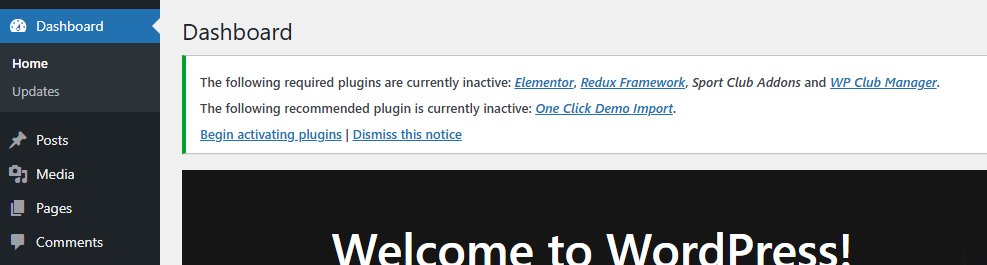
Go to Appearance » Install Plugins and install and activate following plugins:
- Redux Framework, it is not necessary to install and activate the 'Extendify' library after the 'Redux' plugin activation.
- Elementor: feel free to skip the whole setup process after the activation. But, go to Elementor > Settings and make the following basic setup of the plugin:
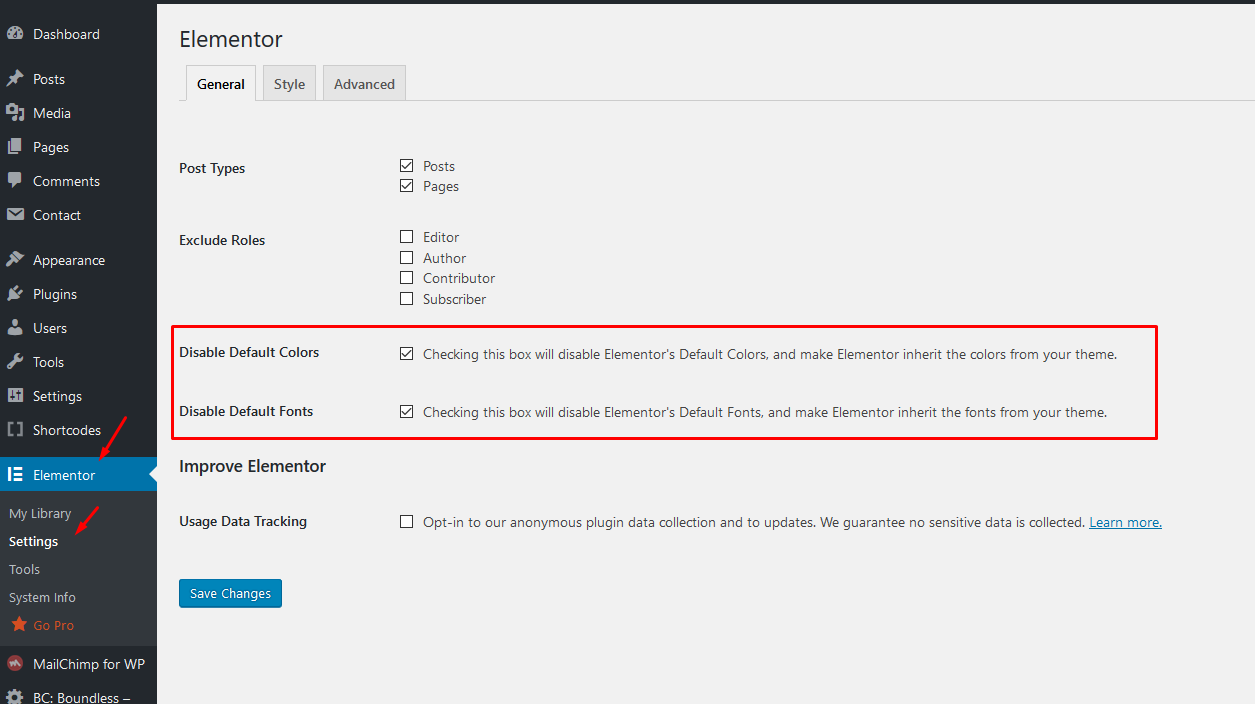 Save changes and that's it. You can edit any page in the page builder later.
 - Sport Club Addons
Default Setup
1. After theme activation go to Appearance > Install Plugins, and install and activate Redux Framework plugin!
2. Then go to Sport Club - admin panel
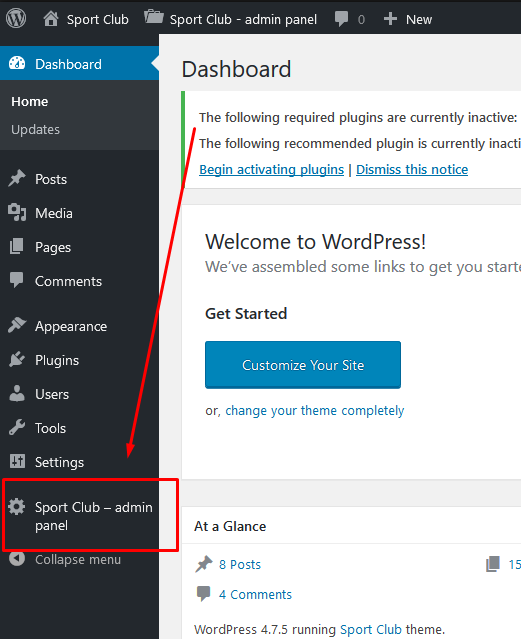
and hit "Save Changes" button to set default style settings:
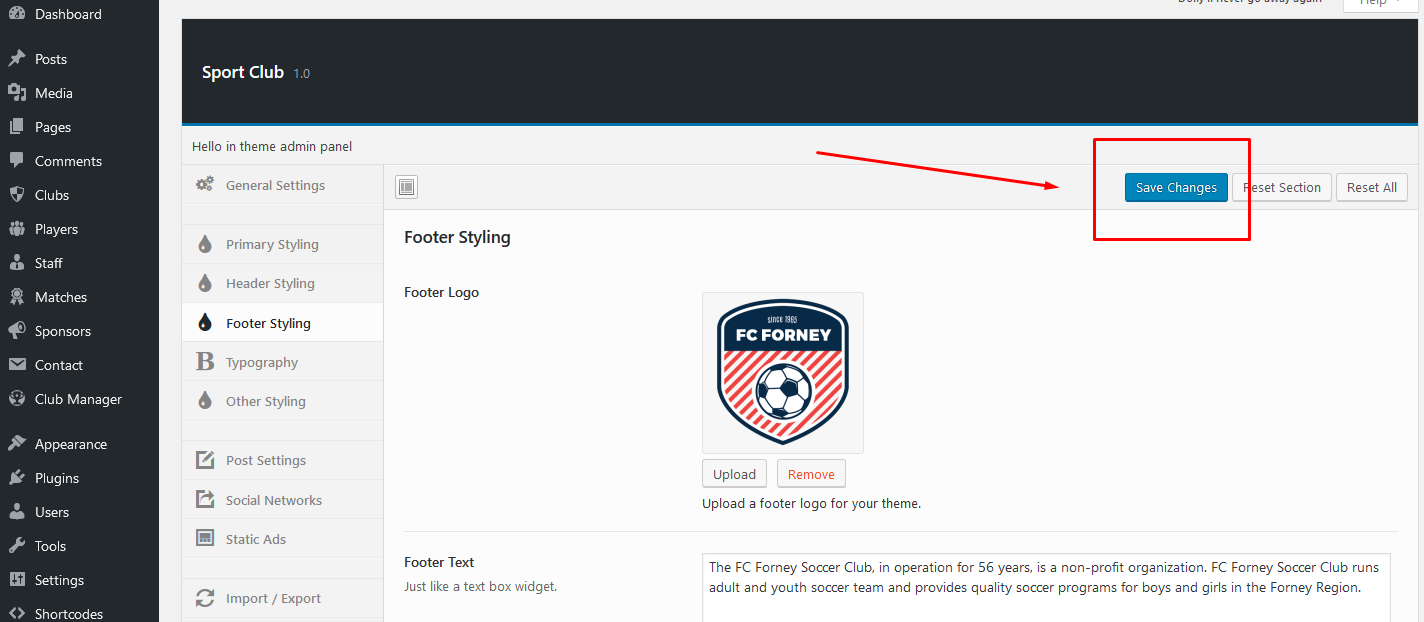
You can change styling options later.
2. Following message may be visible after theme activation:
Click on 'Begin activating plugins' link and install and activate 'Layout Creator', 'Redux Framework' (if not installed yet),WP Club Manager and 'Shortcode Ultimate' plugins. Or you can do this by visiting Appearance » Install Plugins
4. IMPORTANT! It is possible that after theme activation are images wrongly cropped and look ugly! In this case use following plugin: http://wordpress.org/extend/plugins/regenerate-thumbnails/ to regenerate old thumbnails (from previous theme).
After plugin installation start regeneration in Tools > Regen. Thumbnails. This process can take a while and you cannot close tab/window until regeneration is done.
Homepage Setup
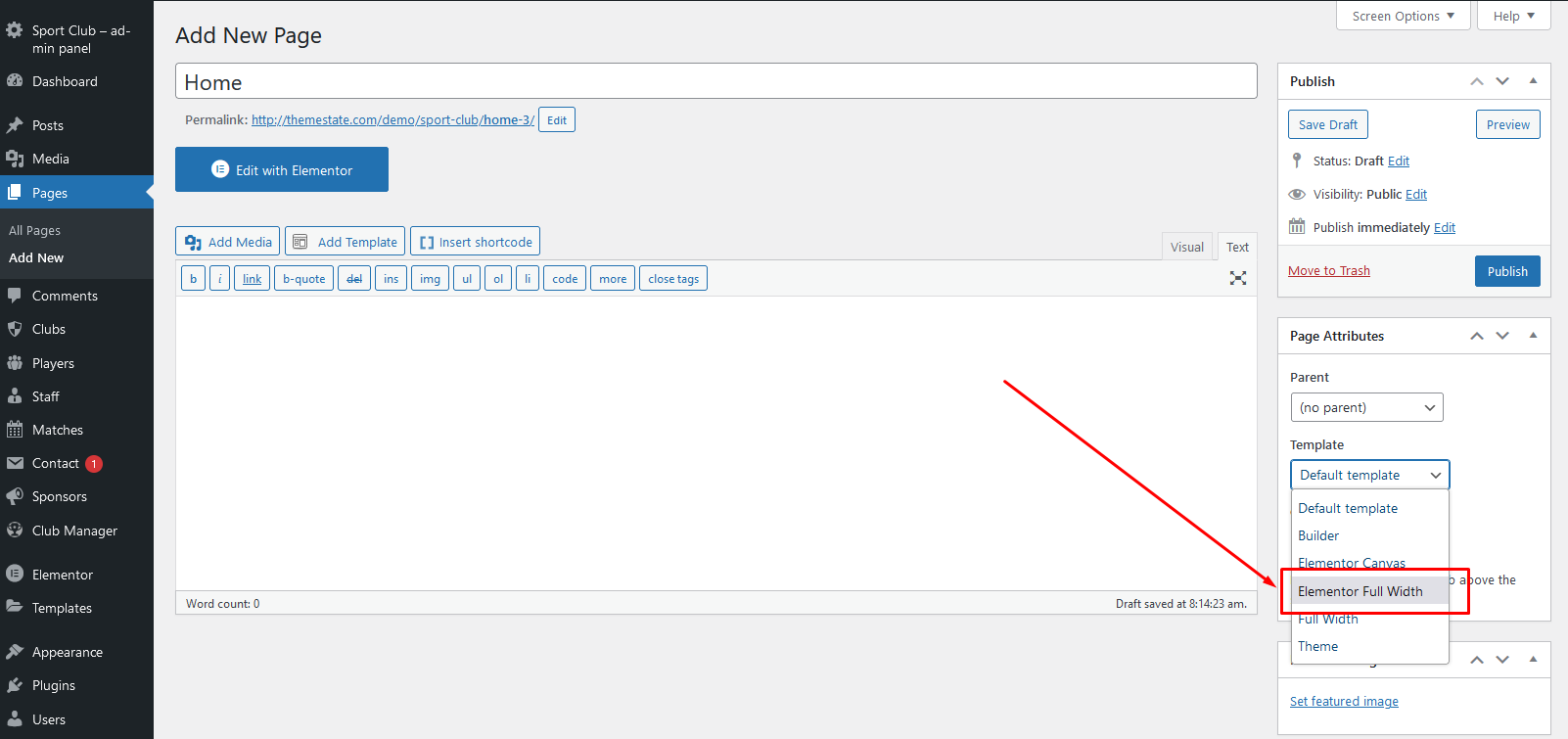
- In 'Pages' section create new page > name it 'Home'
- Select 'Elementor Full Width' template for this page and save page:
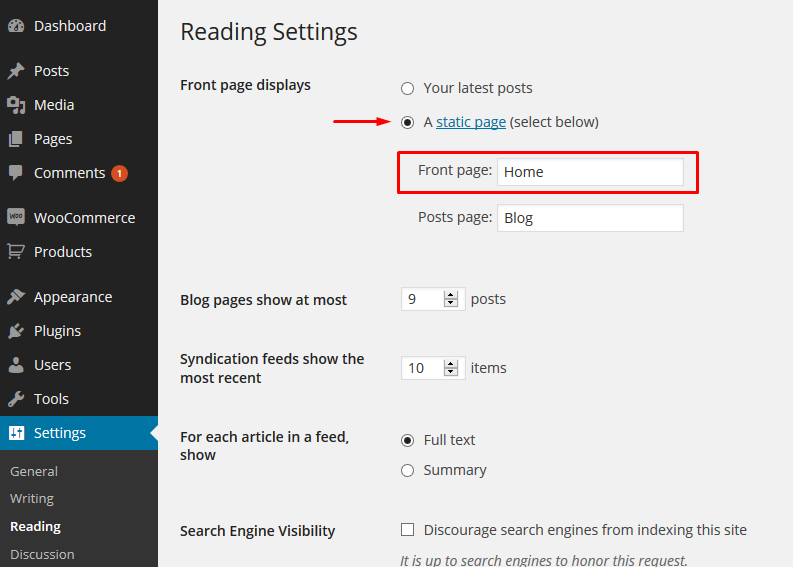
- Go into Settings > Reading and created 'Home' page set as Static page > Front page,
- Empty homepage is created now! In next steps we'll create homepage content using 'Layout Creator'.
Elementor
Important!
I recommend to create few classic blog posts, slider posts before you start creating templates in Layout Creator. Set 'featured images' for all your posts.
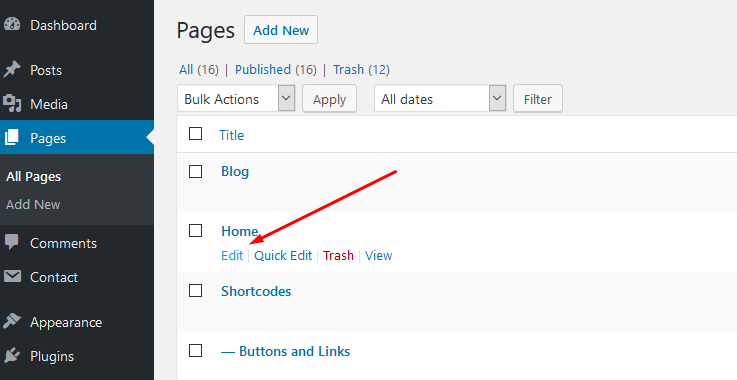
- Go to Pages section and edit 'Home' page, which we have created in previous steps:
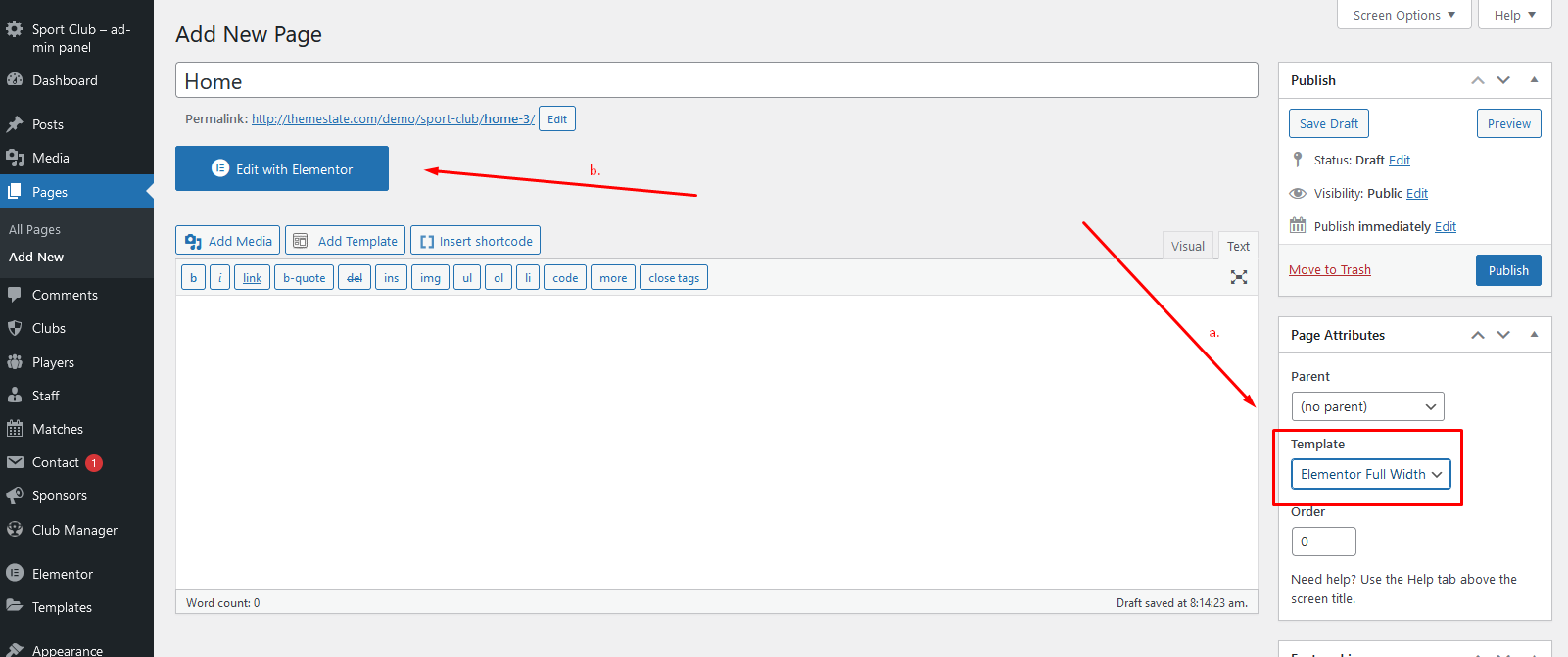
- Make sure that the 'Elementor Full Width' template is selected for this page (a.), then hit the 'Edit with Elementor' button (b.):
Adding Main Slider
- The Sport Club Addons plugin have to be installed! Create a few 'Slider' posts in left dashboard menu. (Slider posts types are similar / work similar to classic posts. Set post title, add slide content and set featured image for every slider post. One 'slider' post represents one slide in the slider. See more )
- In 'Elementor edit mode' hit on 'Add new section' button and add select 'one column' setion:
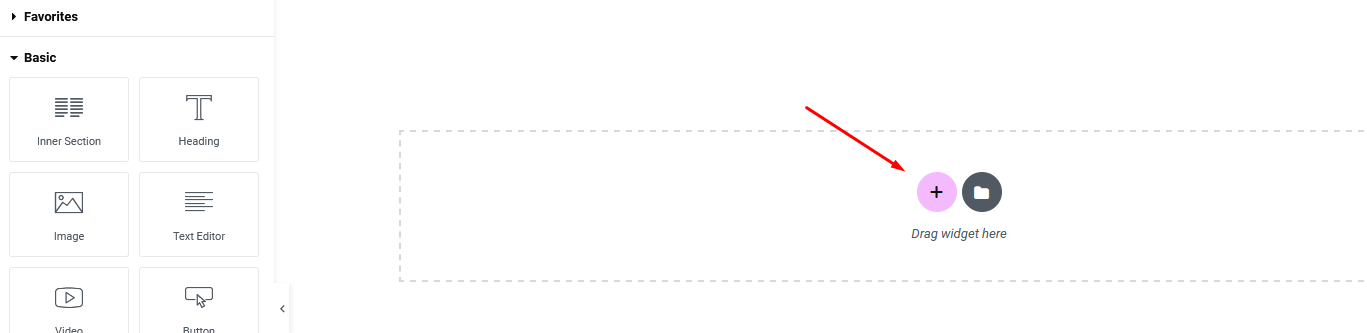
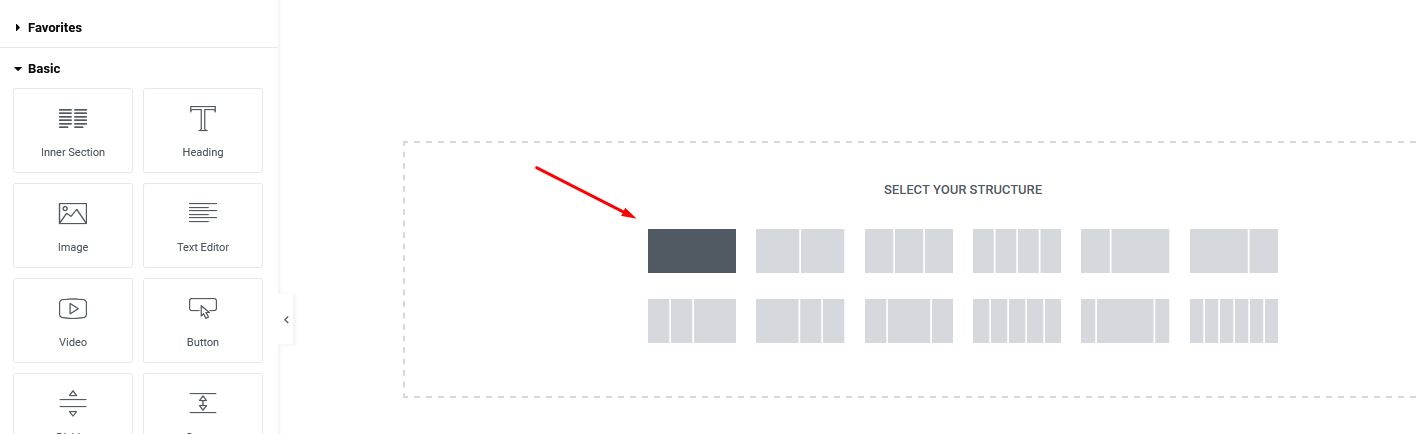
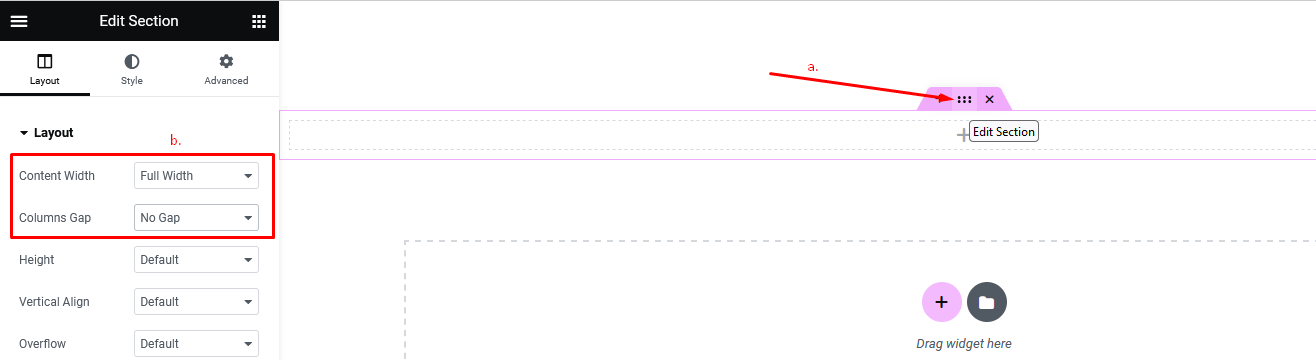
- Hover over the section and click on 2nd blue icon to edit section (a.) In left section select 'Full Width' and 'No Gap' options (b.)
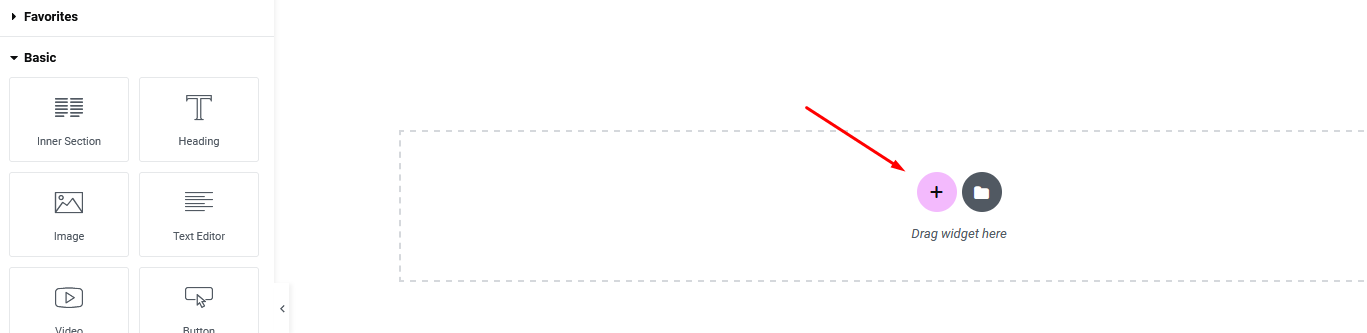
- Then just click + sign and drag 'Themnific: Main Slider' block into setion.
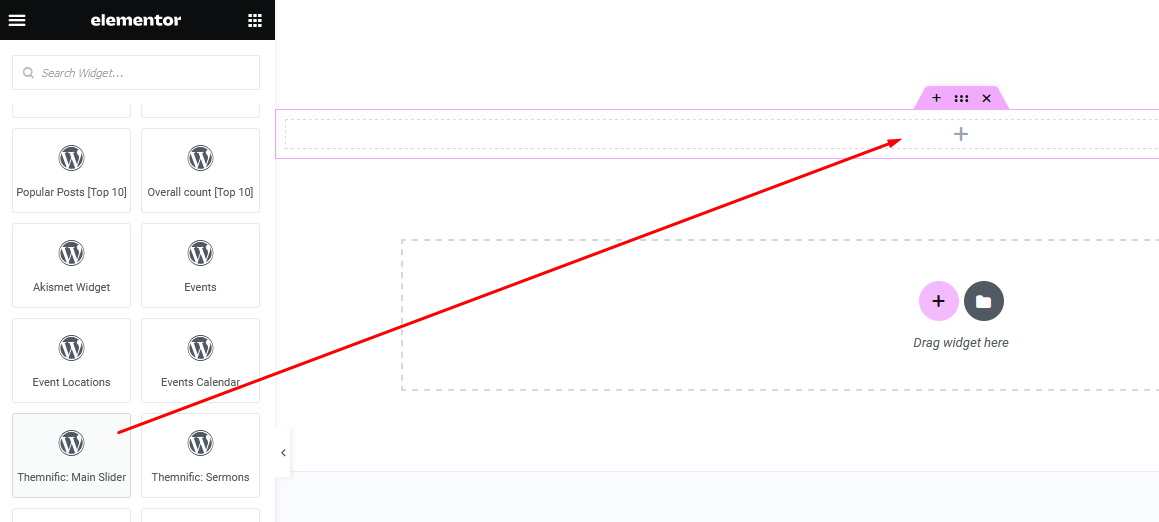
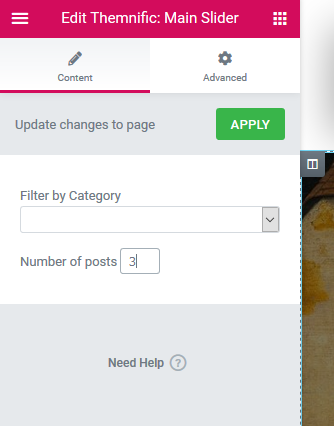
- Edit Themnific: Main Slider options in the left options bar and "Slider placeholder" will appear after save. On live homepage will be displayed fully functional slider.
Adding Columns
- In 'Elementor edit mode' hit on 'Add new section' button and select e.g. 'two columns' section:
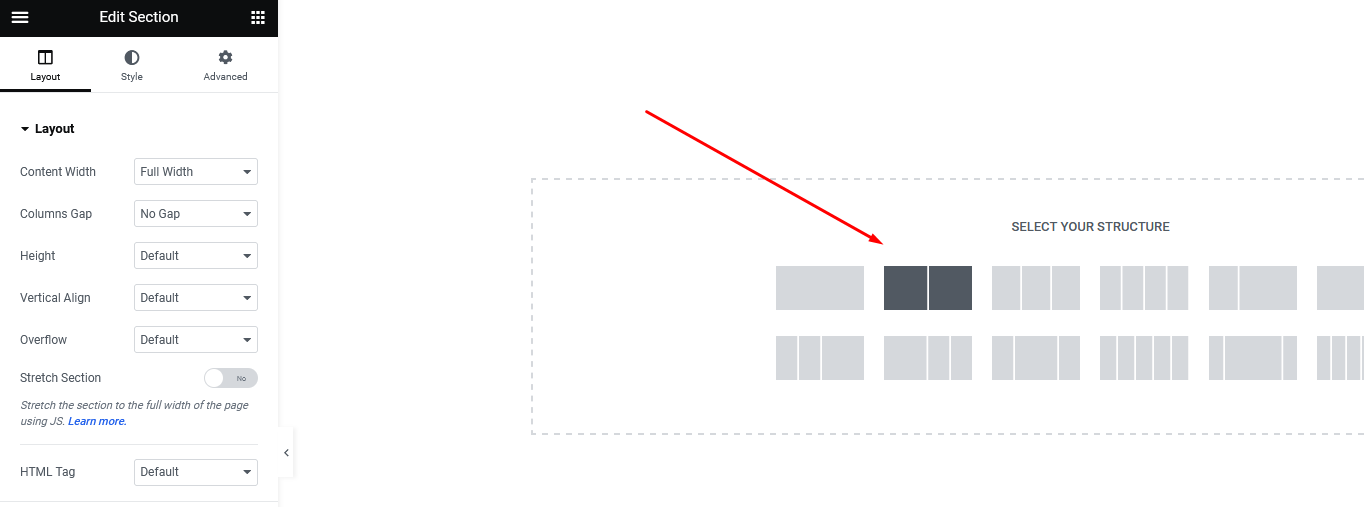
- Using Drag&Drop resize columns to e.g. 68% (for wide column) and 32% (for narrow column) /a./ and select "boxed width" with '1200px' limitation and 'Wider' gaps /b./:
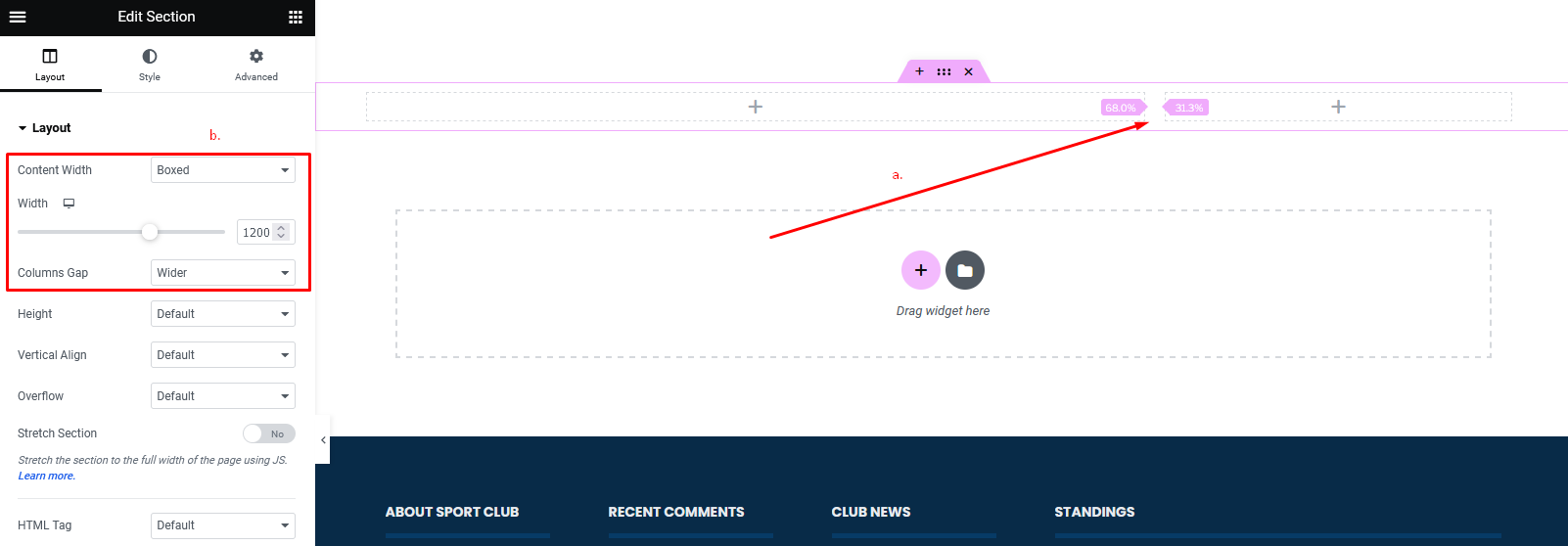
- Click on the + sign in wide column and then drag blocks from the left menu; e.g. add 'Themnific: Blog List (or Themnific: Blog Grid) block to this wide column:
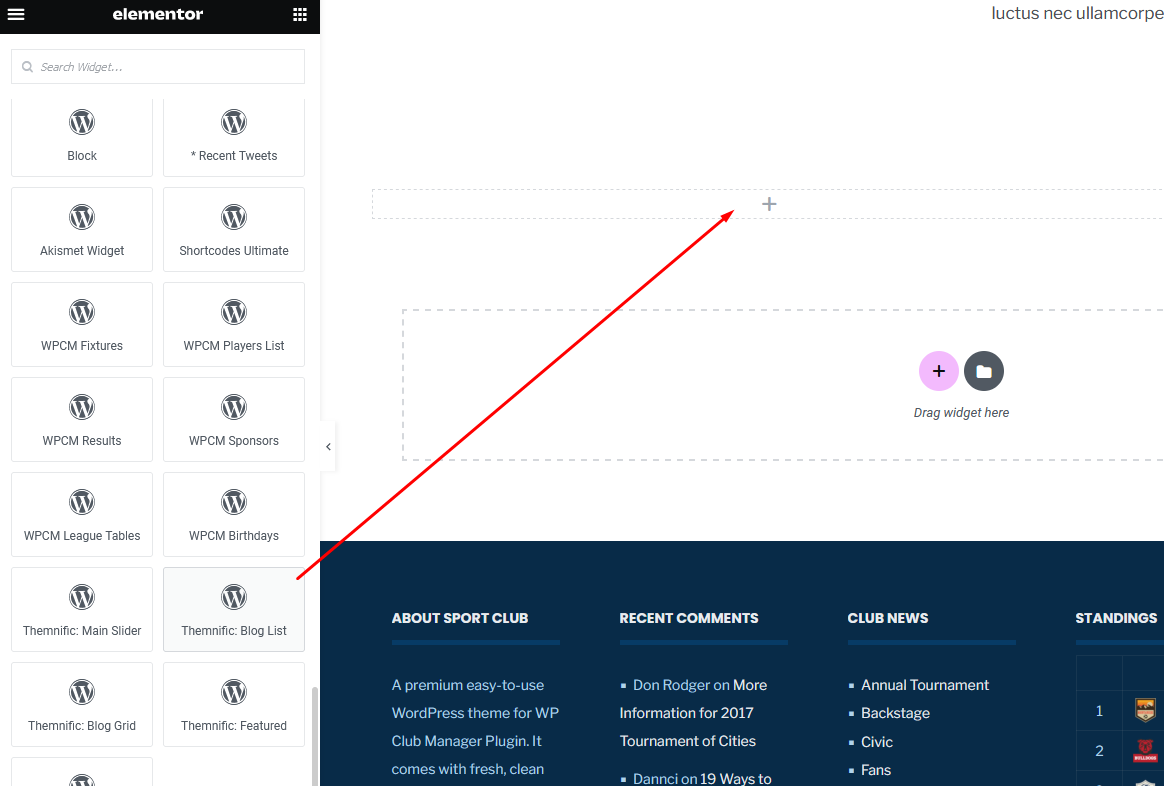
- Adjust 'Number of posts' parameter , select layout (number of columns) and optionally select 'featured category' in left panel.
- Click on the + sign in the narrow column, then drag Sidebar block from the left menu into it.
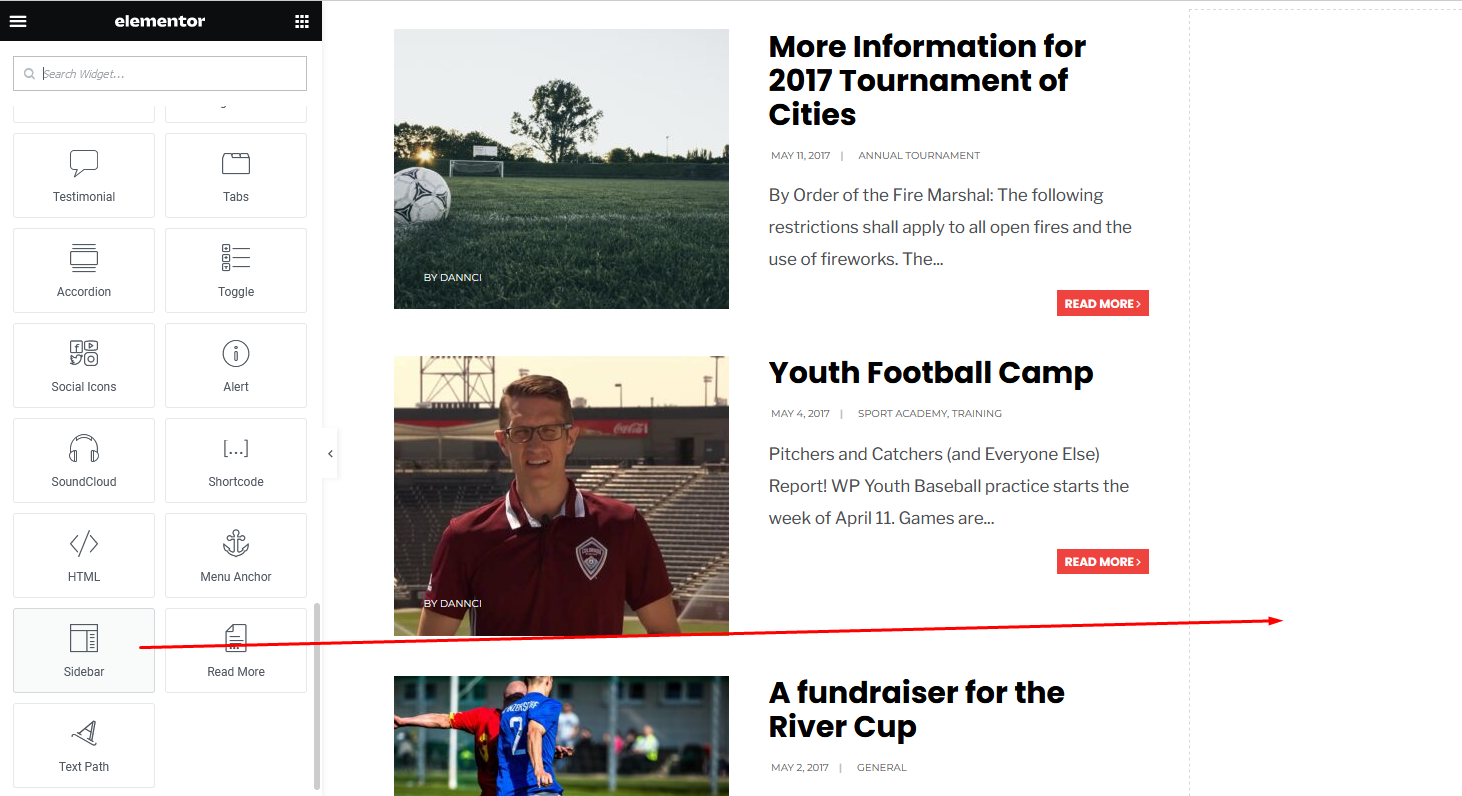
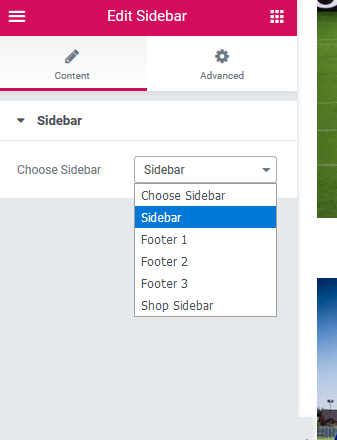
- Choose 'Sidebar' section which you can setup in Appearance > Widgets
Important
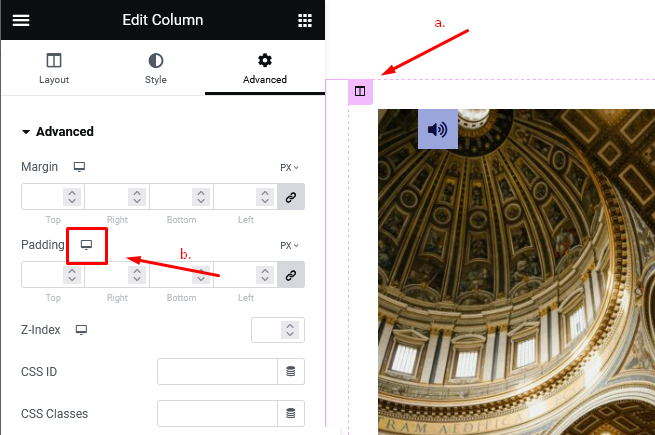
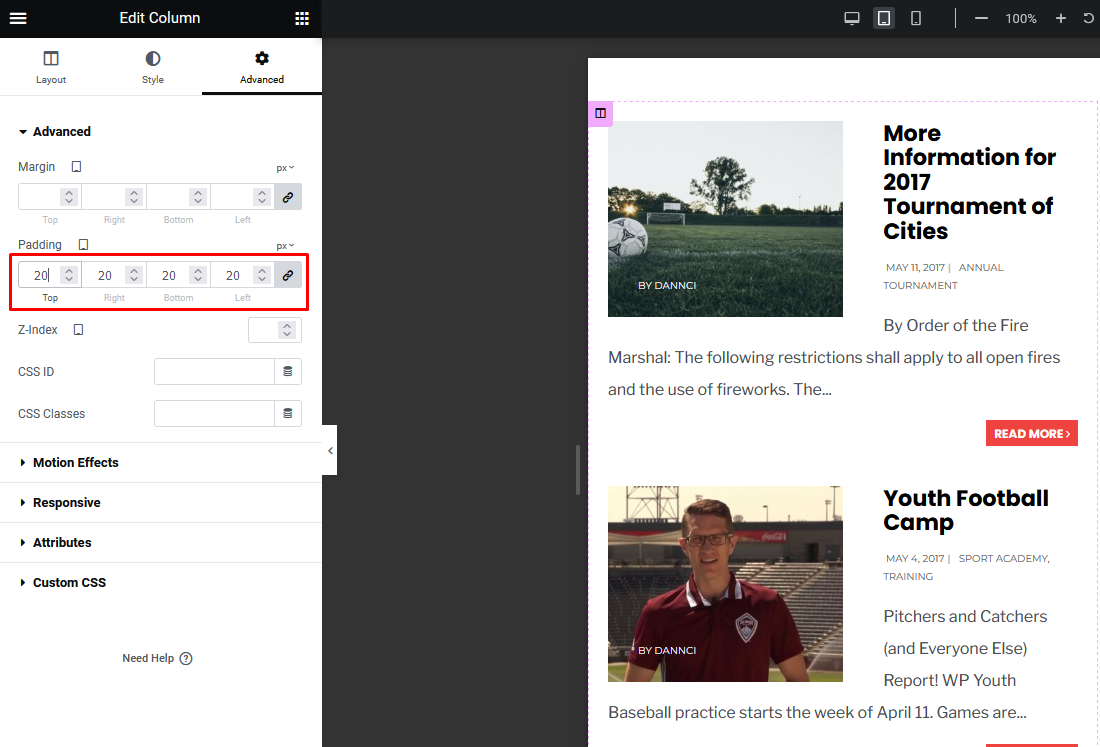
- Adjust padding for responsive mode!
- Select the column (a.)
- Click on small 'Desktop' icon in the Advanced tab (b.); 'Tablet' and 'Mobile' icons will appear.
Then click on 'Tablet' and 'Mobile' icon and check your layout on small screens. If necessary, adjust padding/margin values for the responsive mode.
Blog Template
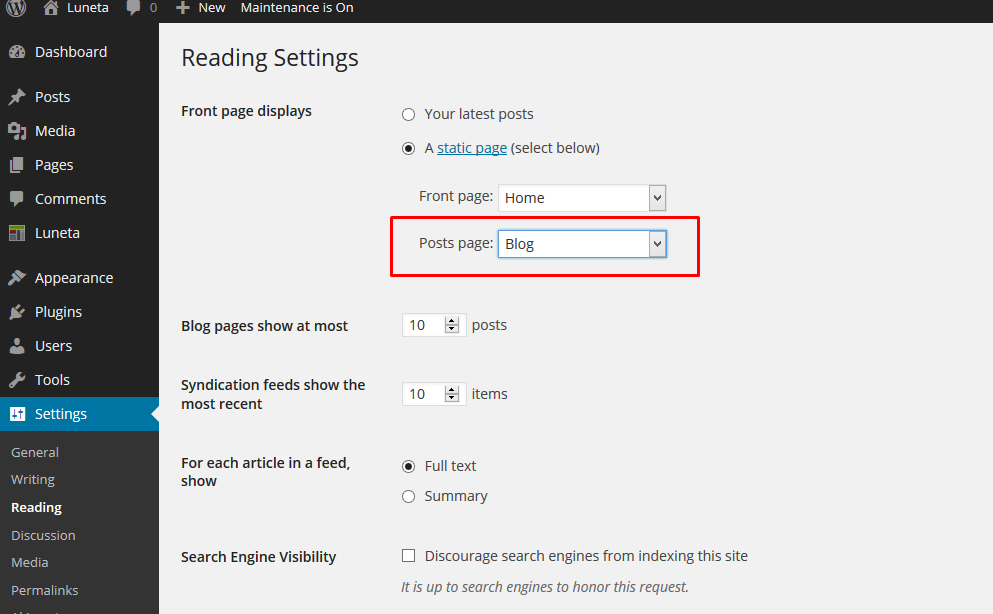
- If you want to create 'blog' page, create empty page (Default template),
- name it 'Blog' (or similar),
- go to Settings > Reading and set this page as 'Post page'
Theme Setup - Admin panel
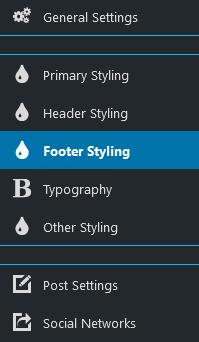
Theme comes with extensive options panel with functions divided to these sections:
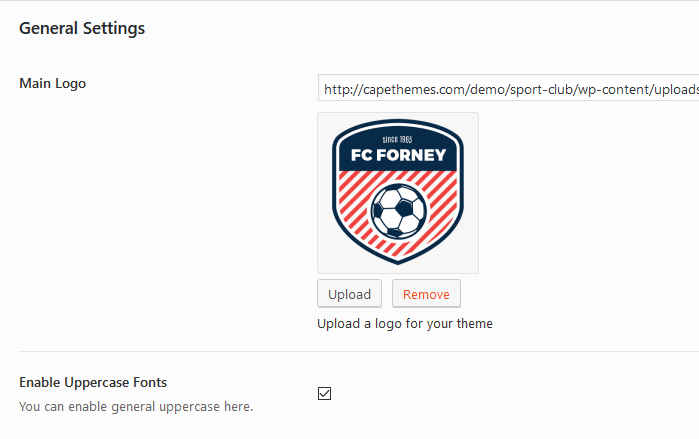
General Settings:
- Upload your Main logo image,
- Enable/disable 'Uppercase' fonts.
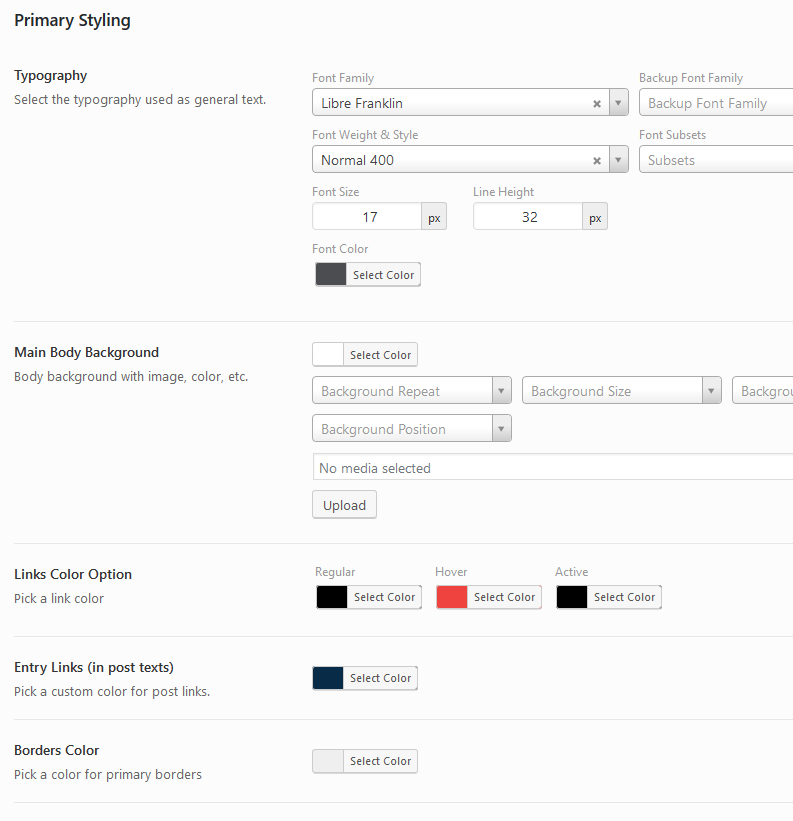
Primary styling:
- Select font family with color, style and width of the font,
- Choose colors for typographic elements: body, wrapper, containers (ghost color), text/links, hover, borders etc.,
- Add/paste your own custom CSS code
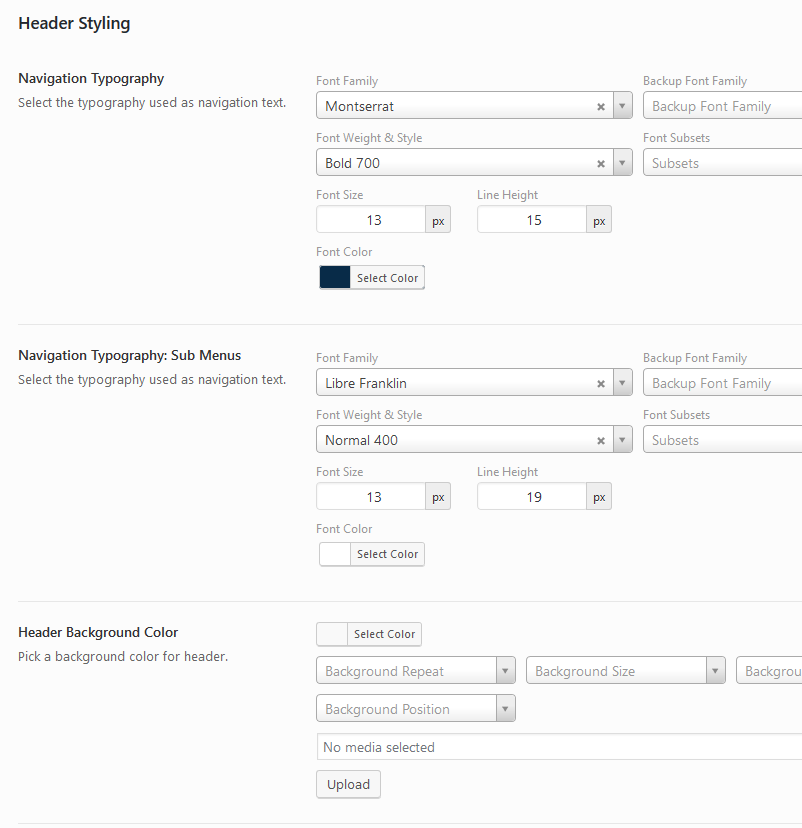
Header Styling & Settings:
- Setup color scheme (background, font, links and border colors) for main navigation
- Set background color or background image for header,
- Set other colors for header,
- Set custom margins for logo and navigation and width limitation for logo image.
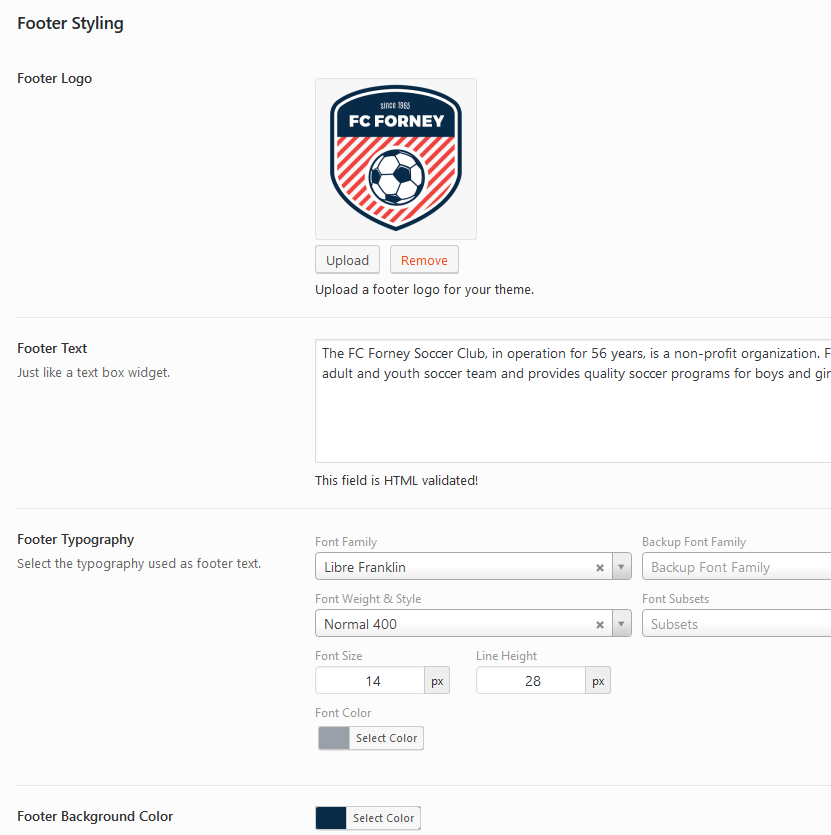
Footer Styling:
- add footer logo and custom text,
- Select font family with color, style and weight for footer,
- Choose colors for typographic elements: footer background, text, links, hover, borders etc.,
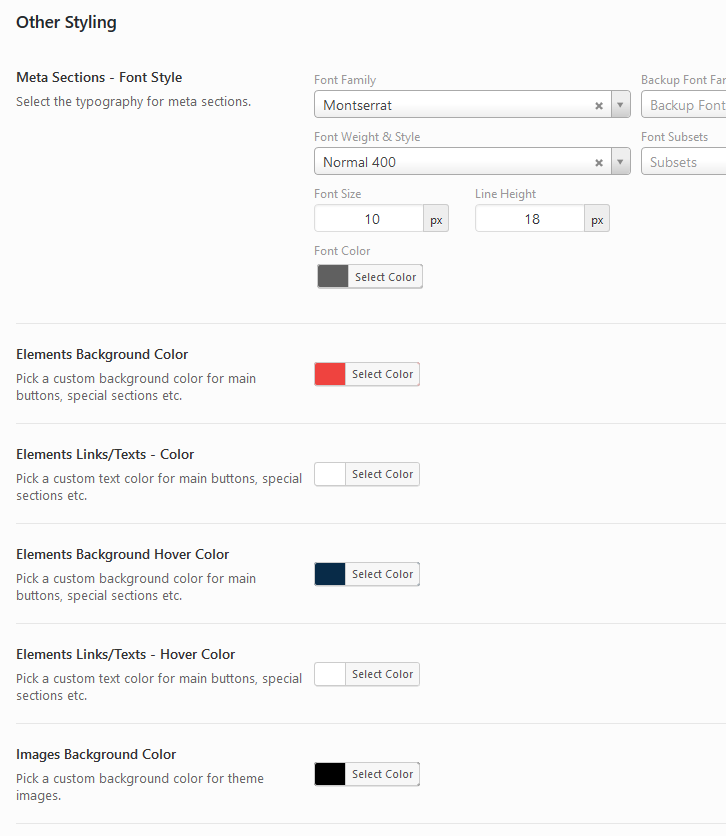
Other Styling:
- Set font styling for 'Meta' sections (date, category etc. post information)
- Choose background color for elements (buttons, lines etc.),
- Select text/link color for elements (buttons, lines etc.),
- Set color scheme for image backgrounds.
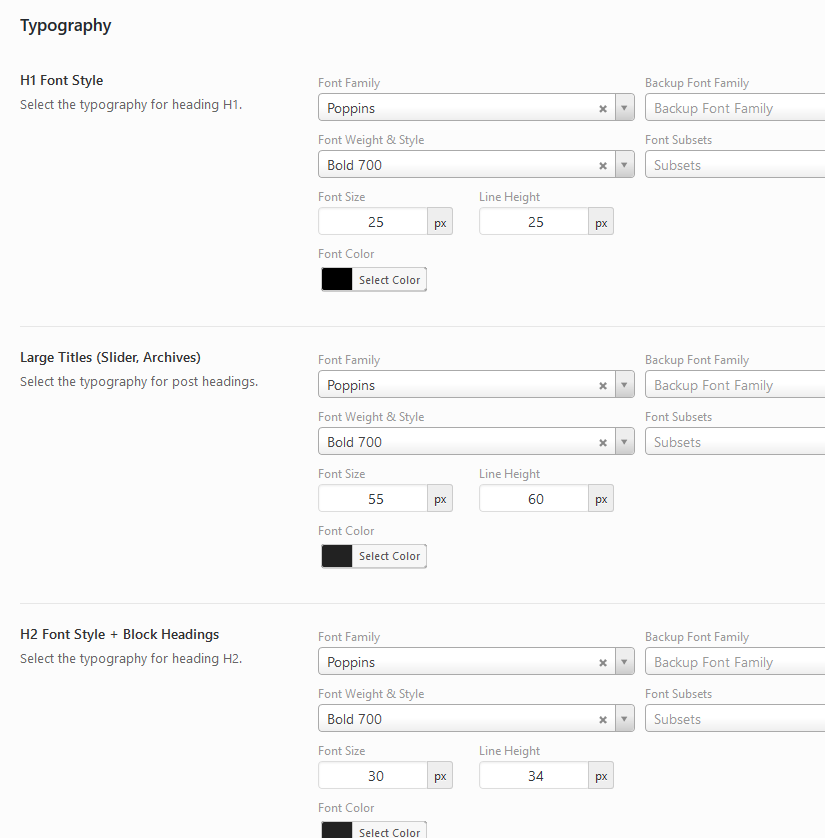
Headings Typography:
- Select Font-family for all headings (h1- h6) and 'post titles',
- Select font weight for all headings (h1- h6) and 'post titles',
- Select Font-size for all headings (h1- h6) and 'post titles',
- Select font color for all headings (h1- h6) and 'post titles',
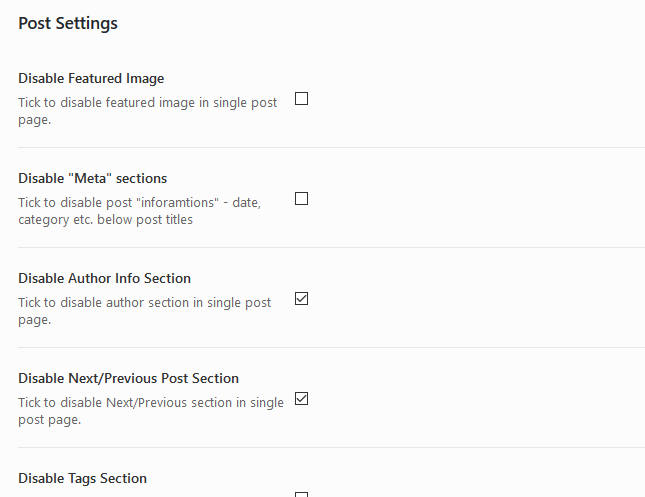
Post Settings:
- Turn On/Off partial post sections.
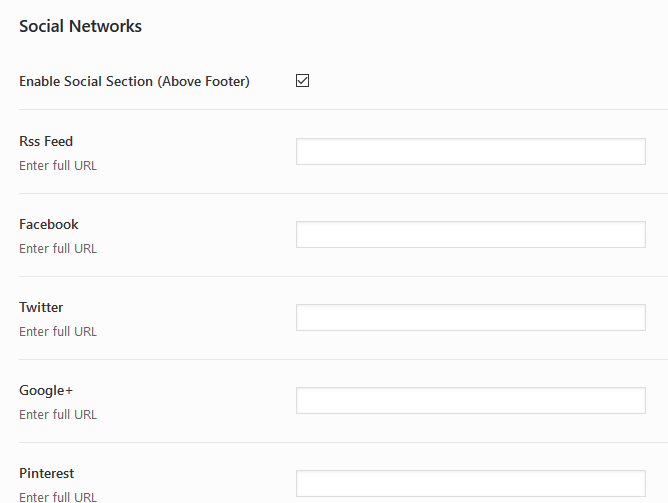
Social Networks Settings:
- Enter the full URL of social network, your profile or account (enter full URL: http:// or https:// including).
If you are finished click on "Save changes" button!
Custom Templates
- Create a page by going to Page > Add New.
- In Page Attributes section select custom page template (Builder, Full Width page etc.)
- Click the Publish button to publish your page.
Custom Widgets
a) Theme comes with few custom widgets, marked as -Themnific.
b) Recommended plugin - WP Club Manager - comes with custom widgets marked as WPCM
Go to Appearance > Widgets and setup your sidebar, layout cerator (free widgets sections) and footer widget areas.
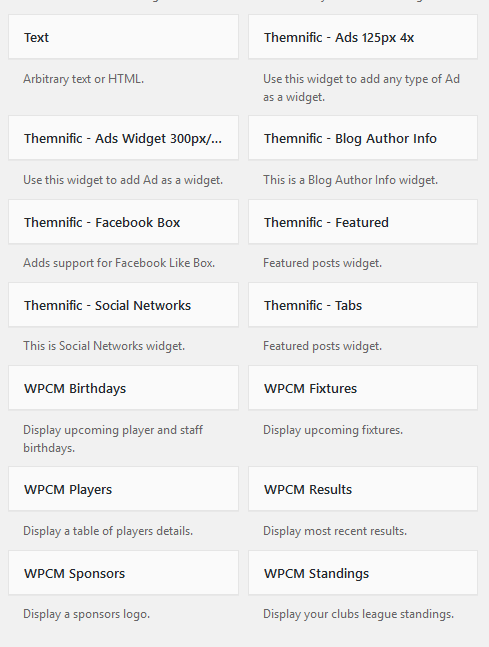
Used Widgets
Following widgets are used in theme demo:
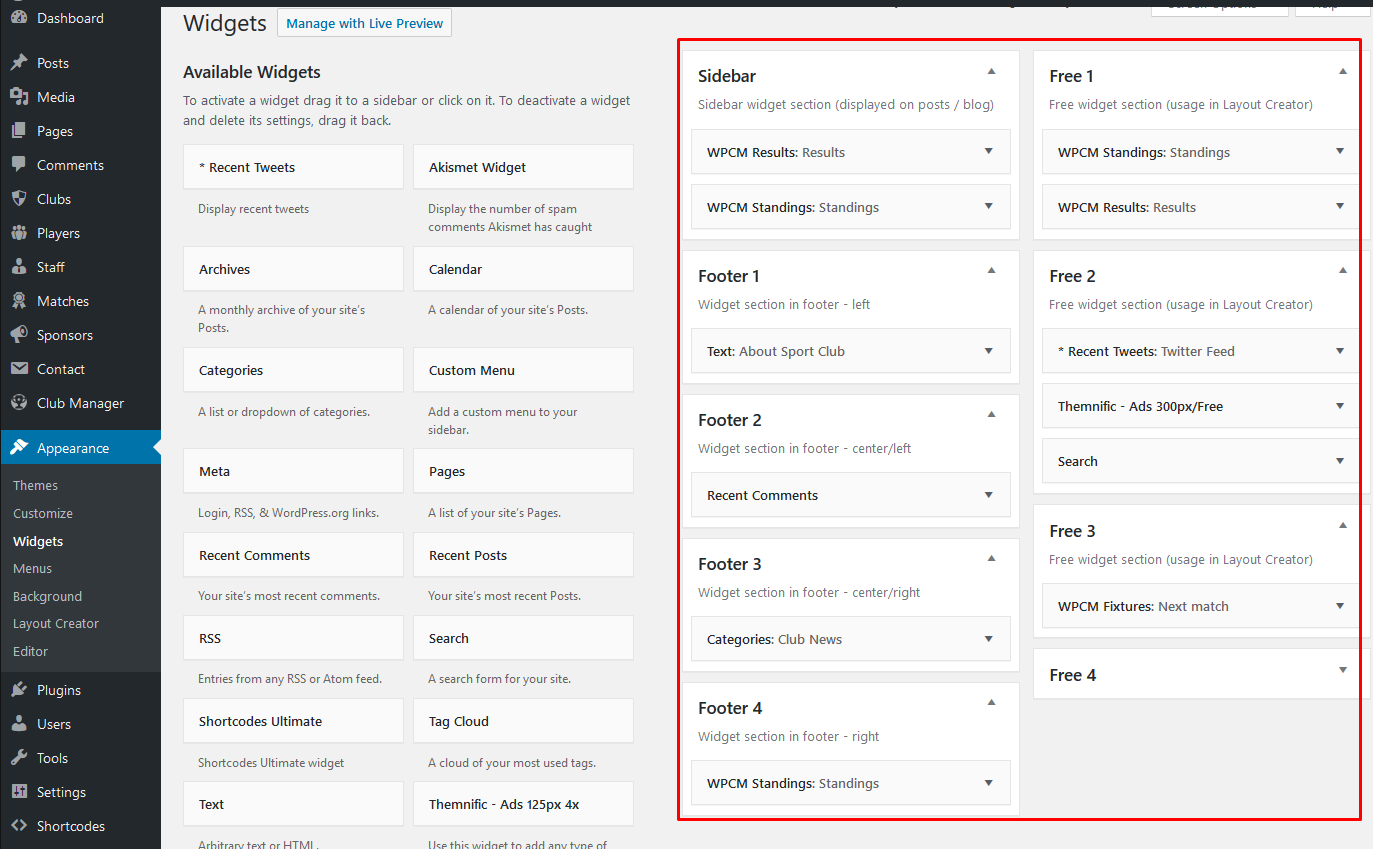
As you can see, in theme demo are used custom widgets which come with 3dr party plugins (Twitter).
Please see 'Plugins' chapter for more info about these plugins.
Images
IMPORTANT! It is possible that after theme activation are images wrongly cropped and look ugly!
In this case use this plugin: http://wordpress.org/extend/plugins/regenerate-thumbnails/ to regenerate old thumbnails from previous theme.
After plugin installation start regeneration in Tools > Regen. Thumbnails This process can take a while and you cannot close tab/window until regeneration is done.
Images and thumbnails are generated automatically.
To display thumbnails correctly upload images via WP interface using "Set featured image" button.
After image upload set featured image.
Featured Images - Minimal Sizes
- Slider block: 1600x500px;
- Blog block: 335x280px;
- Info posts block: 570x570px;
Post Settings & Post Formats
Post Settings:
In post add/edit screen is located custom 'Themnific Post Options' tab:
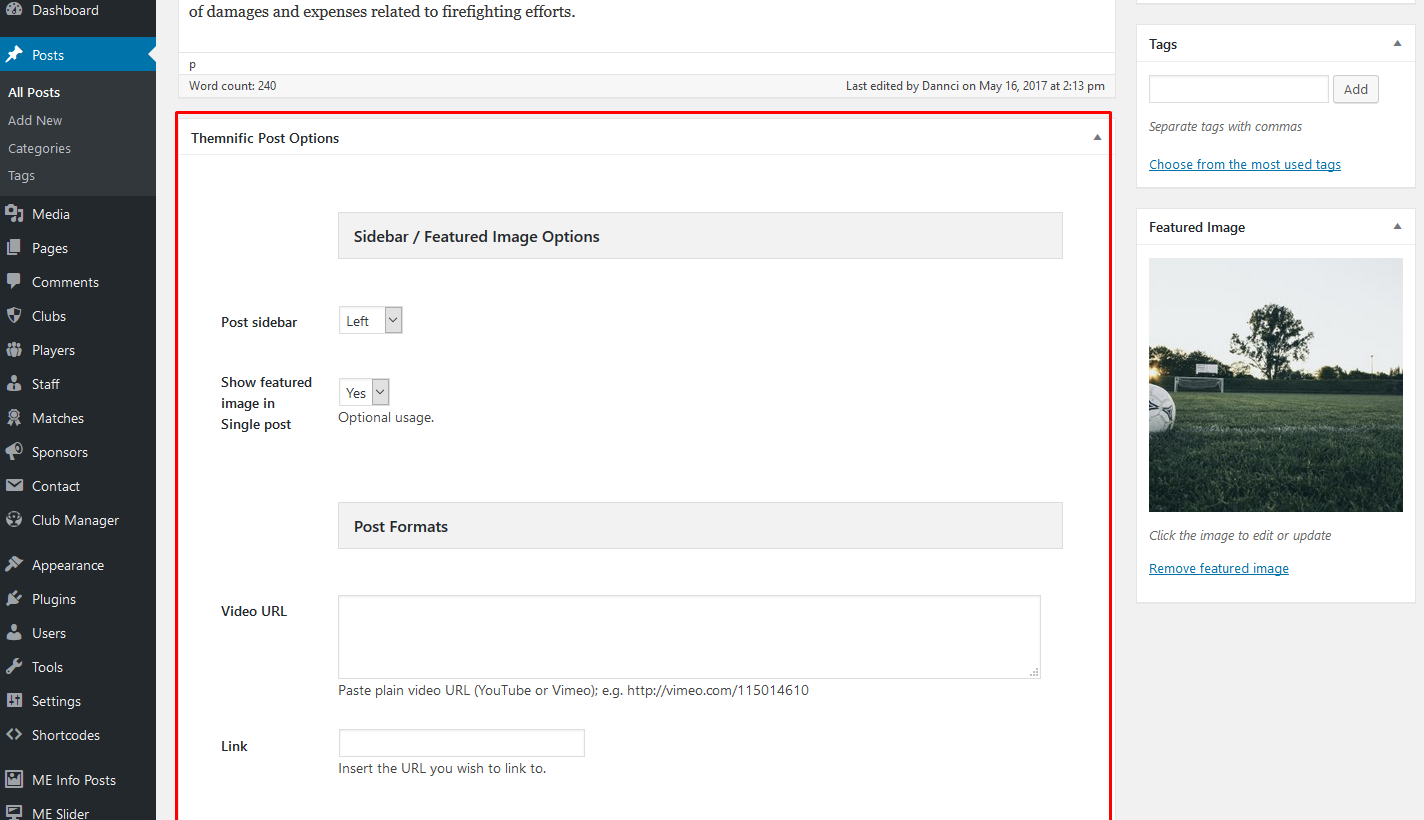
You can setup:
- "formats" (video, gallery etc.) and custom ads in this tab.
- select post sidebar location,
- show or disable featured image.
Plugins
WP Club Manager
Sport Club theme relies on awesome 'WP Club Manager' plugin.
In search field (Plugins > Add New) insert 'WP Club Manager' and install and activate plugin.
Plugin options can be set in leaft dashboard menu:
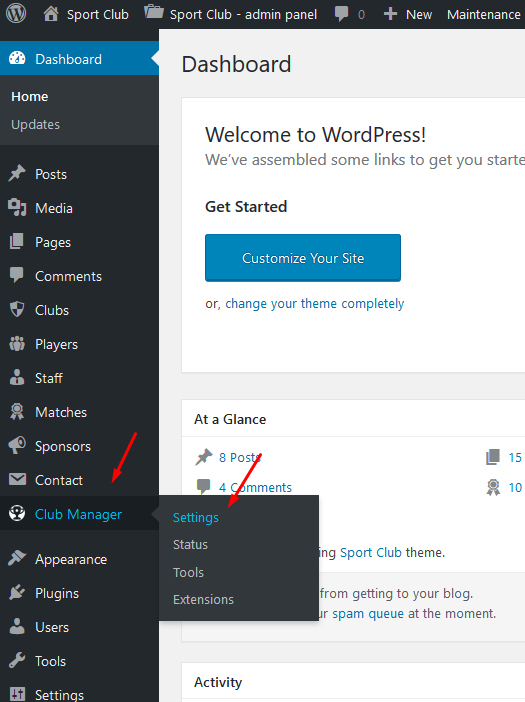
After activation and setup is possible to create own club, add competitors, players and add new or past matches:
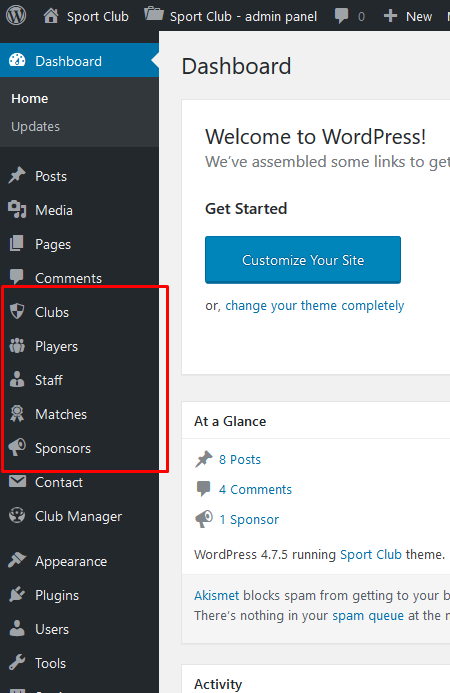
You can display created matches, results, statistics and standings on any page via shortcodes (generator):
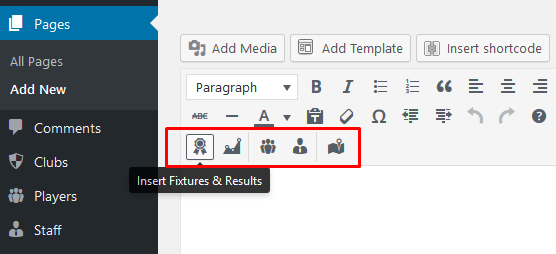
or you can use dedicated widgets:
1. set widgets in Appearance:
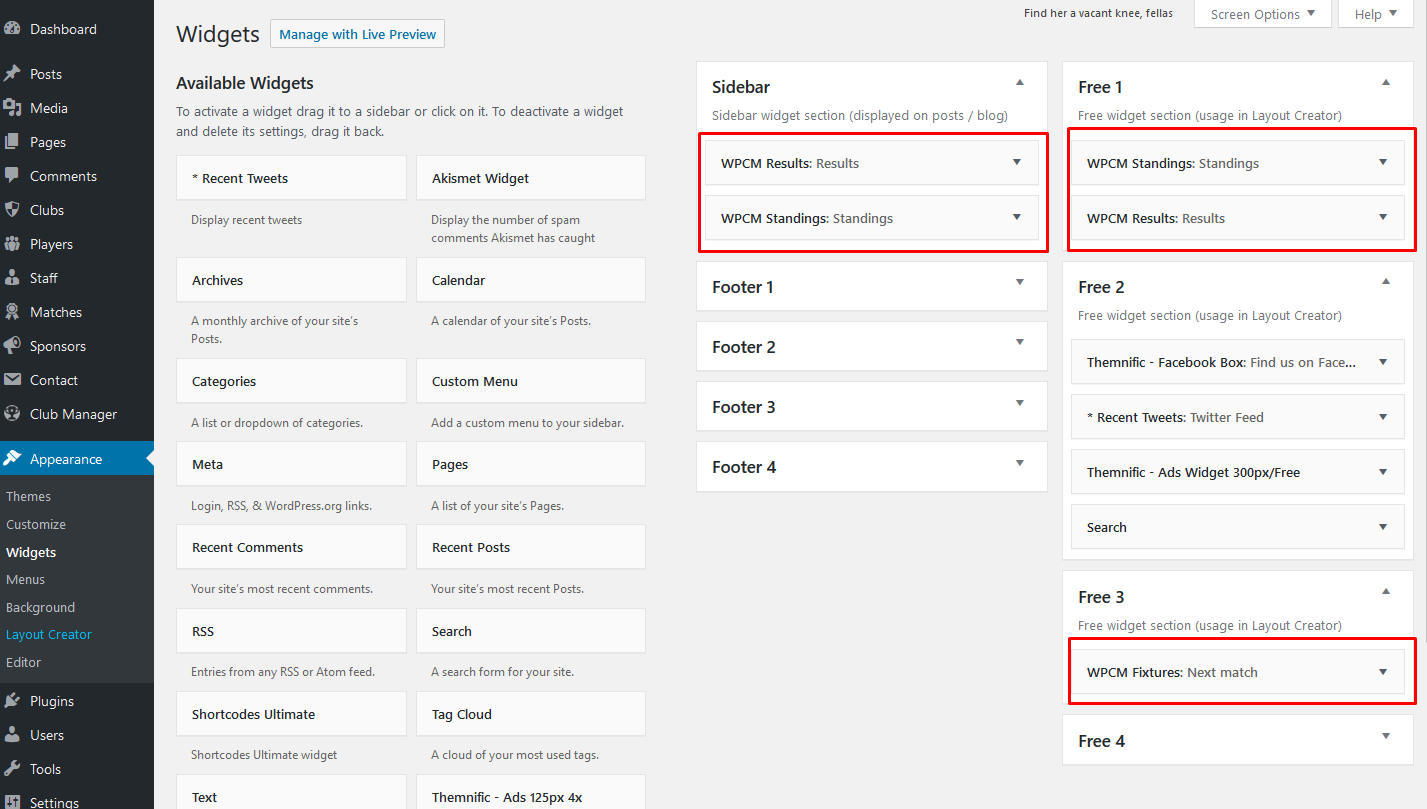
WP Club Manager is very complex and solid plugin, I recommend to go through the plugin documentation to learn how to use plugin and take max of it: Plugin Documentation
MailChimp for WordPress
You can easily create newsletter subscribe form with 'MailChimp for WordPress' Plugin: Plugin Homepage
Into search field (in Plugins > Add New) insert 'MailChimp for WordPress' and Install this plugin
Plugin can be set in Settings > Video Thumbnails:
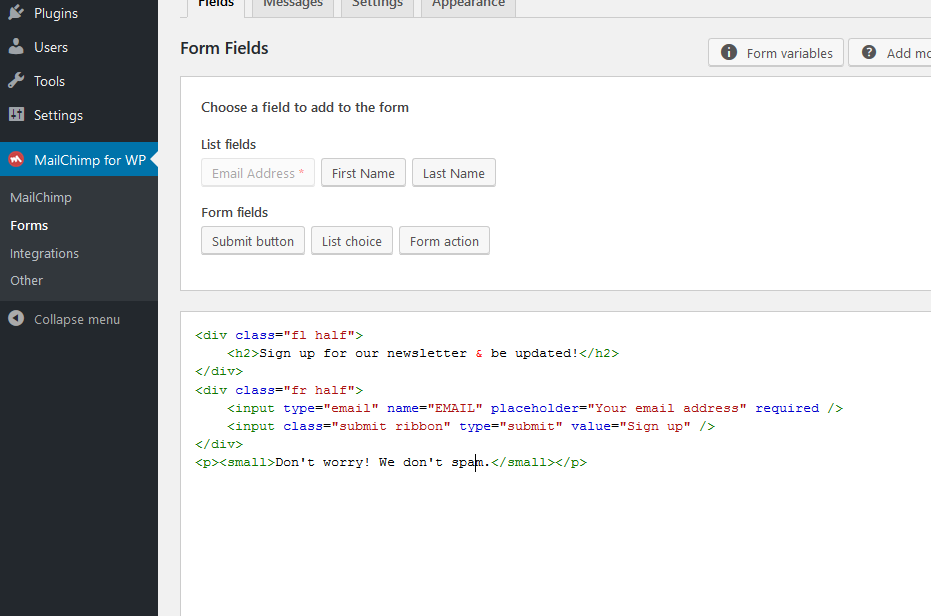
In demo is used subscribe form with following markup: http://pastebin.com/K5bGtauT
AddToAny Share Buttons
Plugin page: Plugin Homepage
Into search field (in Plugins > Add New) insert 'AddToAny Share Buttons' and Install this plugin.
Plugin can be set in Settings > AddToAny:
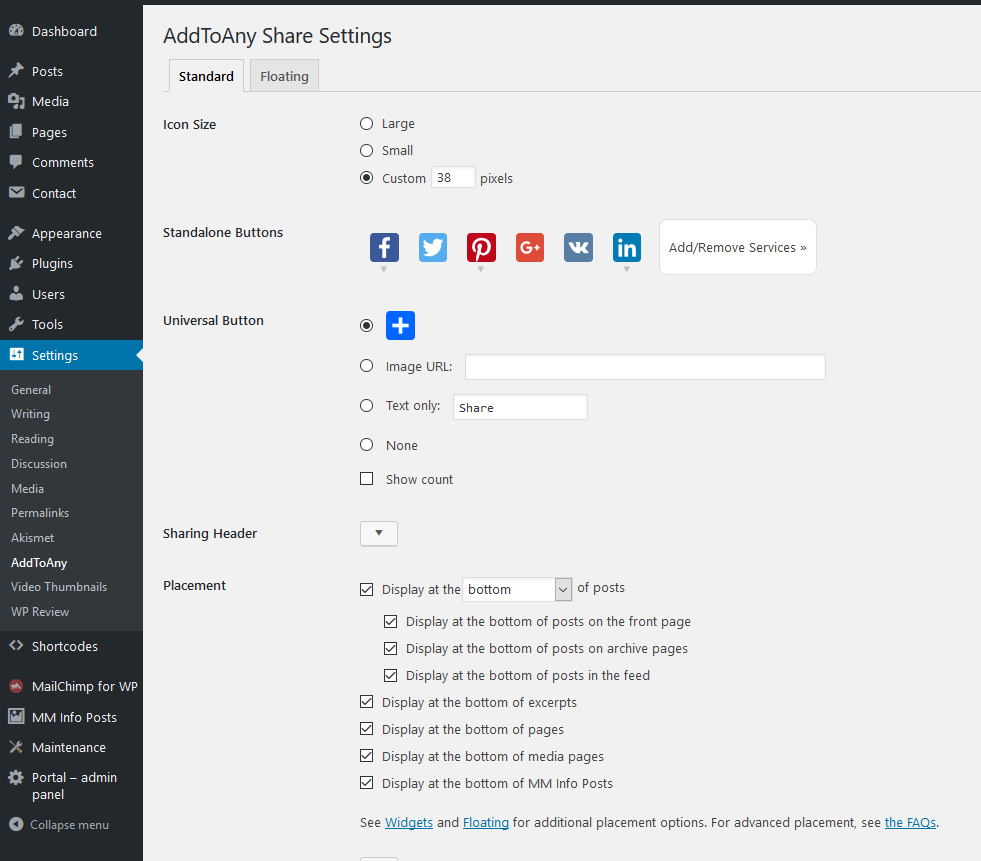
Theme is compatible with Simple Share Buttons Adder too.
Contact Form 7
Plugin page: Plugin Homepage
Into search field (in Plugins > Add New) insert 'Contact Form 7' and Install this plugin
You can create own contact form(s) in main wp menu > Contact.
You can display created 'contact form' on any page using shortcode.
Please read plugin documetation for more info about this very flexible plugin.
Demo Content
Make sure that Sport Club theme is installed and activated;
and Sport Club Addons and WP Club Manager plugins are installed and activated before XML import!
One Click Demo Import
Install and activate ' One Click Demo Import' plugin.
After that import full demo content easily in Appearance > Import Demo Data.
Important!
Due licenses all imported images are for testing purposes only and cannot be used on your live website!!!
You can download free photos for your commercial & personal works on sites like:
http://picjumbo.com/
http://pixabay.com/
https://unsplash.com/grid
Translation
This theme is translation/localization ready and comes with sport-club.pot file. File is located in ../sport-club/lang/ folder.
- You need to use localized WordPress installation (core) in the first place:
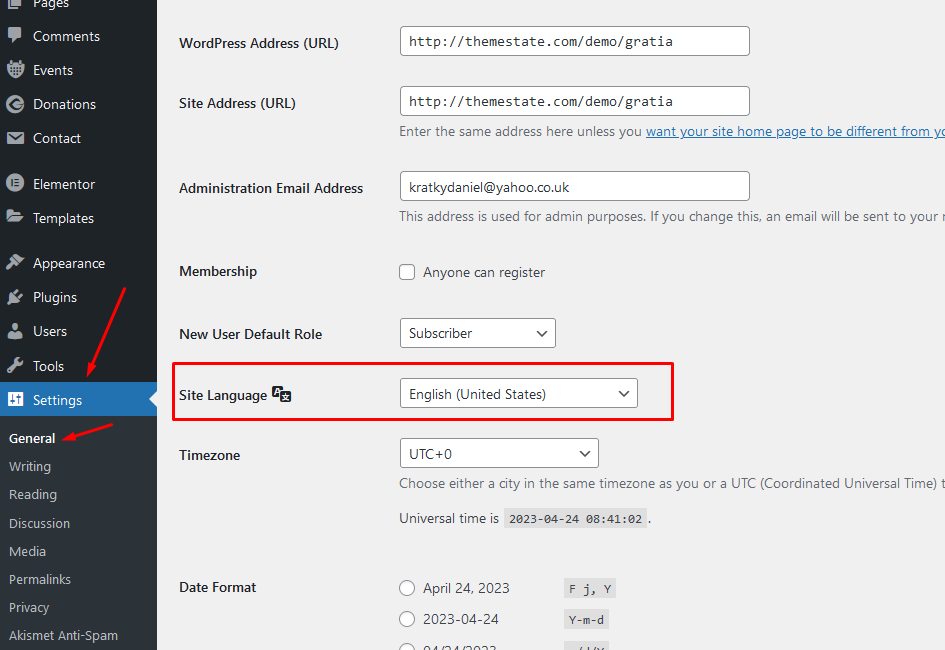
If not, localization will be not successful. - Download poedit software here,
- Install it and in this software translate
sport-club.potfile (line by line), - Once you have translated all the strings, you can save this as your .po file.
The filename of your .po / .mo file is crucial! Gettext uses the ISO 639 standard for language abbreviations and ISO 3166 for locales. If your translation is written in deutsch for example, your file name will look like de_DE.po. Capitalization is also important here. For a full list of language and country codes, check out these two links:
Once you save, POEdit by default automatically creates a .mo file alongside your .po file. Put these files into 'lang' folder.
Your internationalization is complete!
Once again, thank you so much for purchasing this theme.